Complete Your Player’s 2026/27 GotSport Requirements
All Toledo Celtics players must complete their GotSport forms before they can be officially registered and placed on league or tournament rosters for the 2026/27 season.
Before You Begin
Go to system.gotsport.com and sign in using the parent or guardian’s GotSport account.
If you are new to the club from a different club, you need to complete this and contact coach Yadi to request a transfer from your previous club.
If you have never had a GotSport account, or you are not sure whether you already have one, do not create a new account. Contact:
Yadi Aliakbar
Director of Youth/Registrar
yadi@toledoceltics.com
Creating a second account can create duplicate player profiles and delay registration.
Step 1: Sign In to GotSport
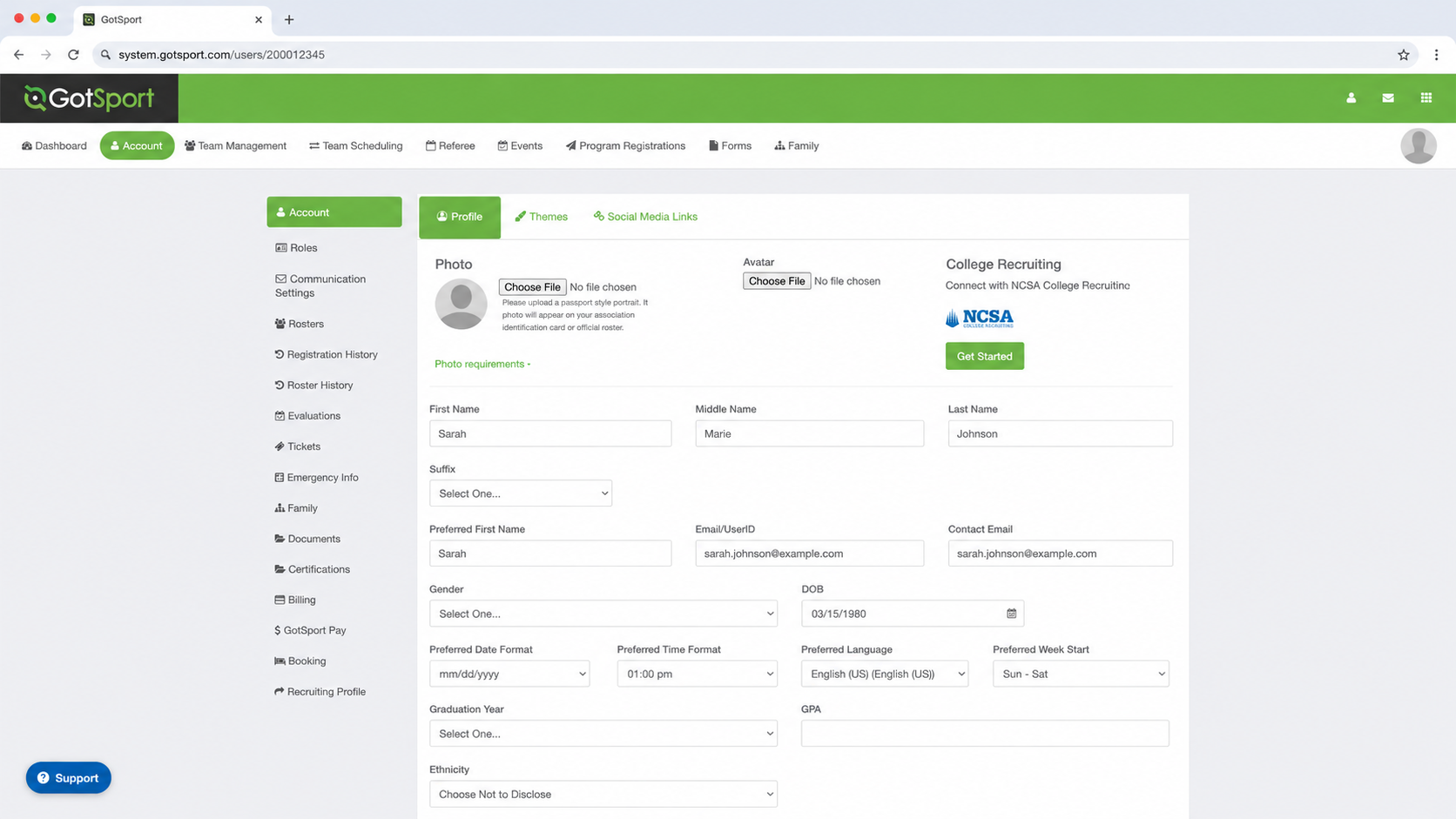
Sign in using the parent or guardian’s email address and password.
After signing in, GotSport may open directly to the parent’s Account Profile page.
Step 2: Click “Family”
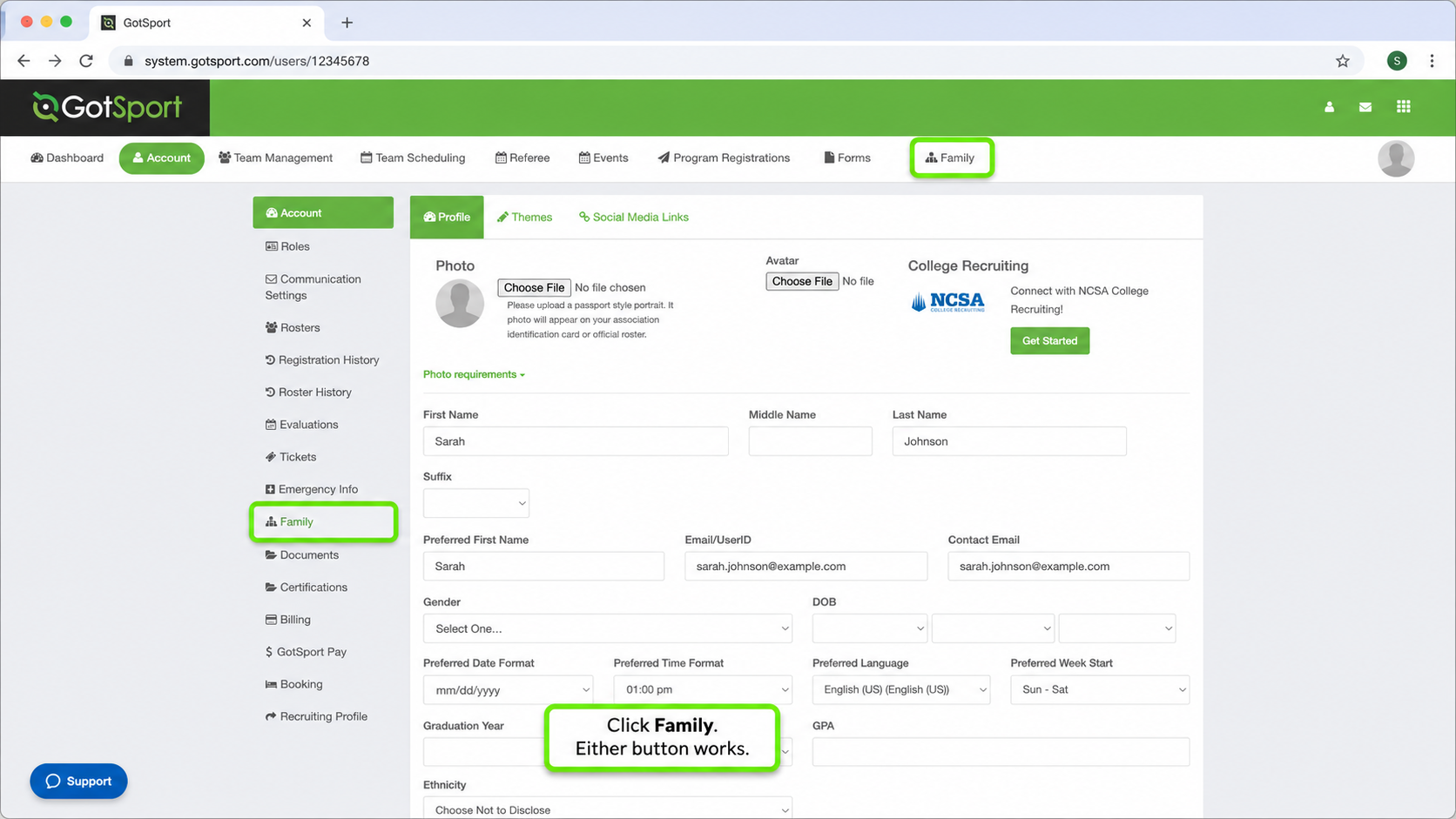
Click Family to view the children connected to the parent account.
GotSport currently displays a Family button in two places:
- In the top navigation menu
- In the left-side Account menu
Either Family button may be used.
Step 3: Select Your Child
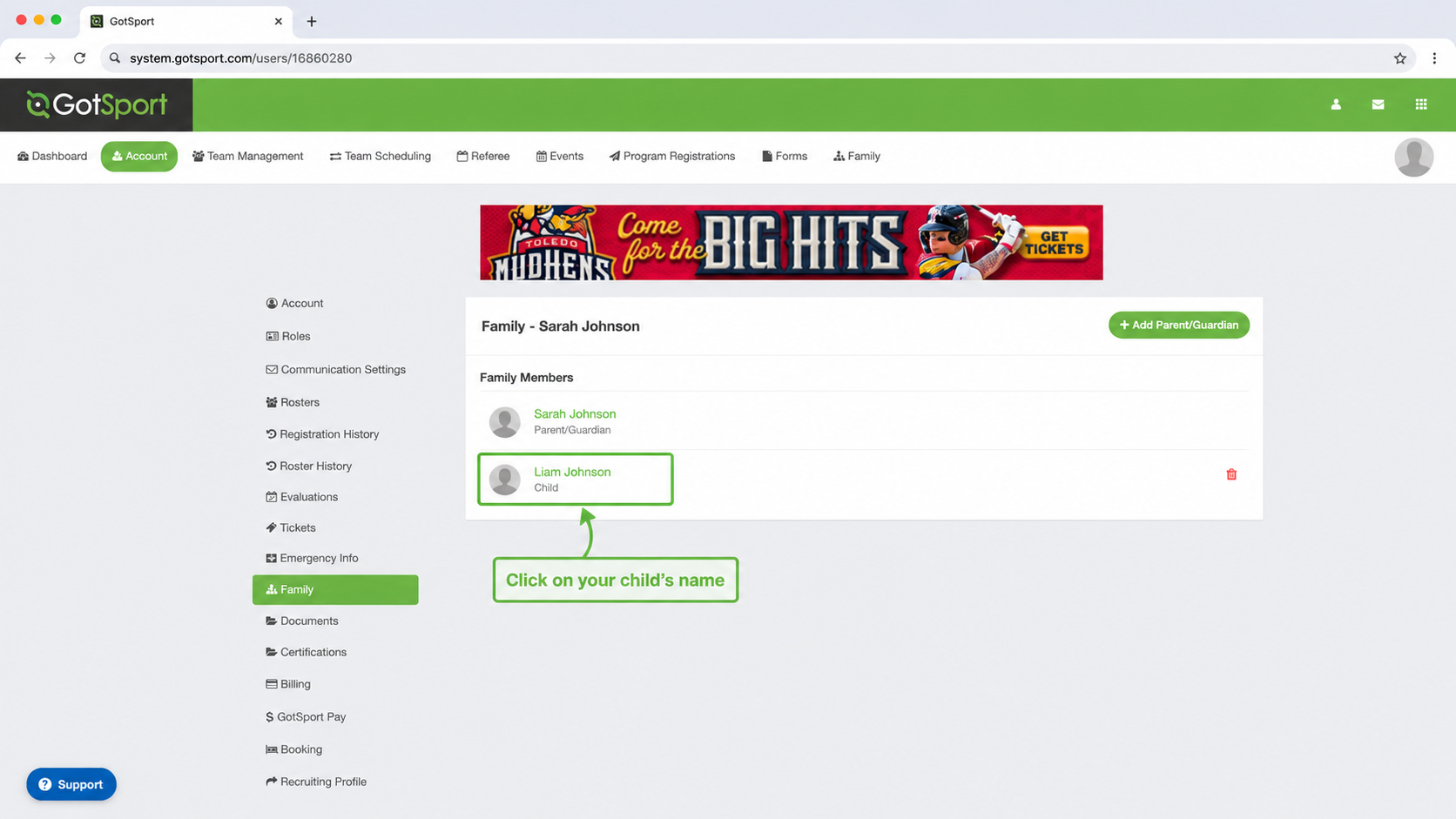
The Family page will show the child or children connected to the parent account.
Click directly on your child’s name.
Do not click Add Parent/Guardian unless you are intentionally adding another parent or guardian to the account.
Step 4: Open “Forms”
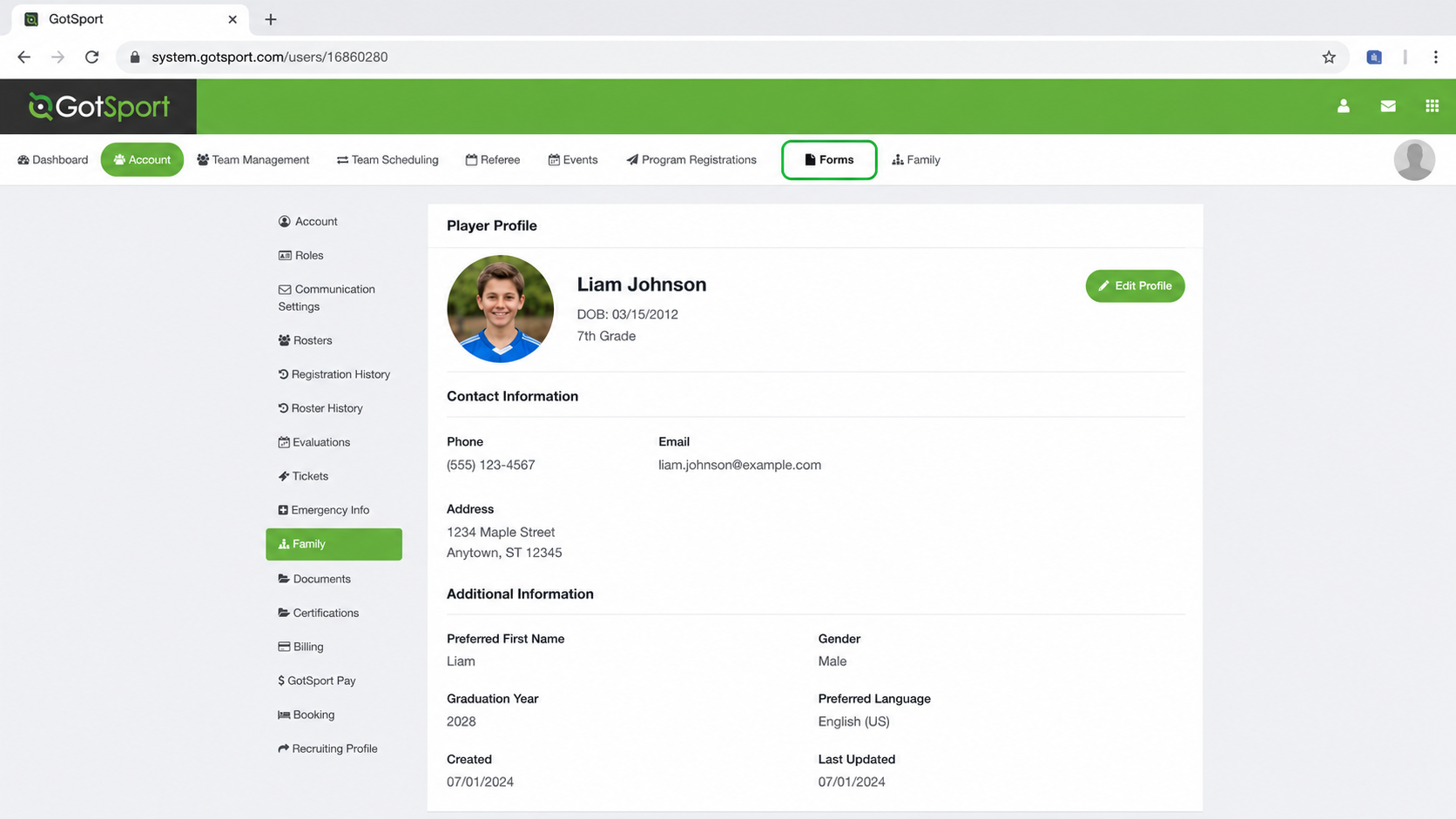
After clicking the child’s name, GotSport will open the child’s player profile.
Confirm that you are viewing the correct player, then click Forms in the top navigation menu.
Step 5: Open “Available Forms”
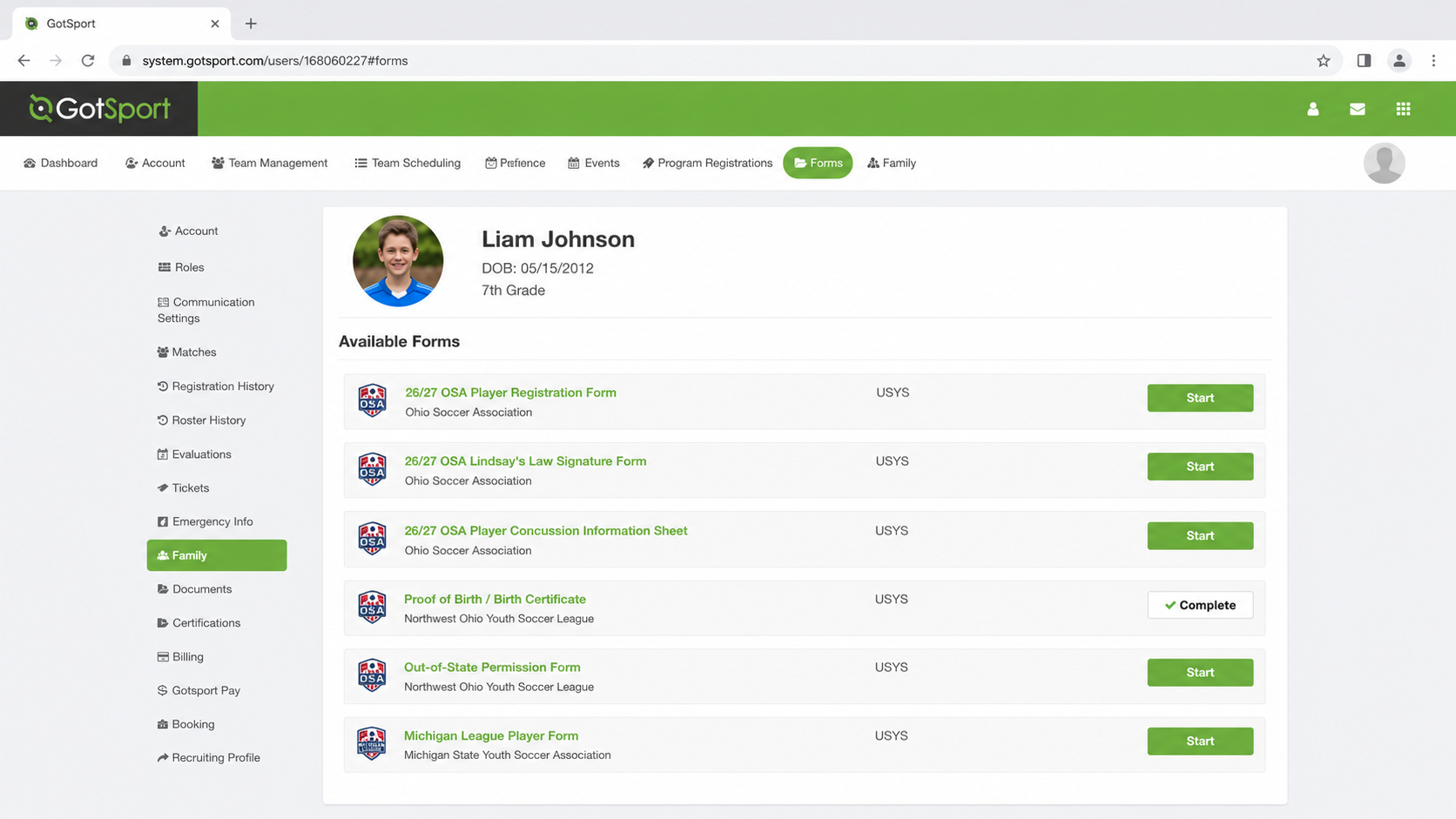
Inside the Forms section, select Available Forms.
This page will display the forms and documents currently required for the player.
Step 6: Complete Every Required Form
Click Start next to each incomplete form and follow the instructions until it is submitted.
Ohio players should complete the following 2026/27 forms:
- 26/27 OSA Player Registration Form
- 26/27 OSA Lindsay’s Law Signature Form
- 26/27 OSA Player Concussion Information Sheet
The page may also show:
- Proof of Birth / Birth Certificate
- Out-of-state forms
- Michigan registration or league forms
If Proof of Birth / Birth Certificate already shows Complete, no additional action is needed for that item.
Additional Michigan Forms
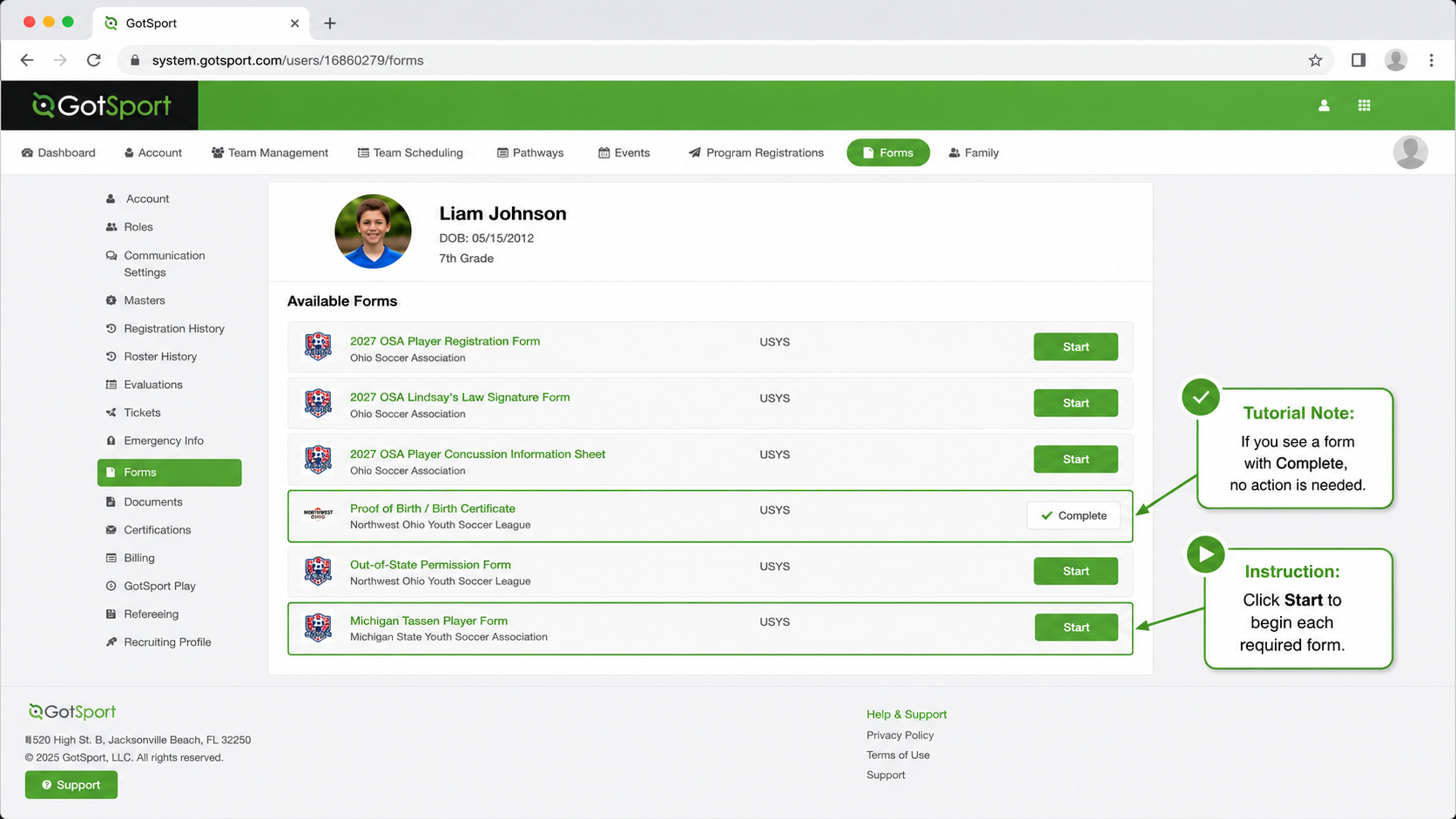
Some Toledo Celtics teams will participate in Michigan-based leagues or competitions during the 2026/27 season.
Families on those teams must also complete every additional Michigan or out-of-state form that appears under Available Forms.
Please do not stop after completing only the Ohio Soccer forms. Complete every form shown for your player.
Final Check
Before signing out:
- Return to Forms → Available Forms.
- Review every item listed.
- Confirm that all required forms have been completed.
- Make sure Proof of Birth shows Complete, when it is listed.
Some completed forms may move from
Available Forms to
Past Forms after submission.
Need Help?
Contact Yadi if:
- You have never had a GotSport account
- You are unsure whether an account already exists
- Your child does not appear under Family
- You see more than one profile for the same player
- A form will not open
- A completed form still appears incomplete
- Michigan forms do not appear for a player on a Michigan team
Yadi Aliakbar
Director of Youth/Registrar
yadi@toledoceltics.com